Medical voice recognition software has evolved from a convenience to a core component of clinical documentation.
As patient volumes increase and documentation requirements grow more complex, clinicians are expected to capture accurate notes quickly, consistently, and within strict compliance boundaries.
A study published by Annals of Internal Medicine found that physicians spent 27.0% of their office day on direct face time with patients and 49.2% on EHR and desk work.
Therefore, choosing the right medical voice recognition software can feel like shopping for a microphone. But it is closer to choosing a second brain for your documentation.
But first, let’s explore
What is Medical Voice Recognition Software?
Medical voice recognition software converts spoken clinical language into text that can be converted into a structured clinical note.
The difference between general speech and text lies in the clinical context, which is the terminology, acronyms, specialty-specific language, and documentation formats that match how clinicians chart.
At its best, it does more than just transcribe what you say, as it supports clinical structure, reduces manual formatting, and aligns with how documentation is actually done.
Why Choosing the Right Voice Recognition Software Matters?
When the tool fits into the system, it reduces friction across the whole visit lifecycle. Here are some of the key factors that define the importance of choosing the right medical voice recognition solutions.
- Time Per Patient
Accurate, clinically aware voice recognition reduces rework and shortens the time needed to complete notes. Poor systems push that work to evenings.
- Adoption And Long-Term Use
If the tool feels unreliable or disruptive, clinicians stop using it. The best systems fade into the background and become part of routine practice.
- Supports Clinician Wellbeing
National Academies’ work on clinician wellbeing repeatedly highlights administrative and documentation burden as a driver of burnout and calls for system-level reduction of that burden.
- Improve Documentation Efficiency
A randomized controlled trial of web-based medical speech recognition found that it increased documentation speed and affected related outcomes, such as document length and participant mood, compared with self-typing.
What a Good Medical Voice Recognition Software Should Have?
Let’s walk through the fundamentals of a good medical voice recognition solution.
High Accuracy With Medical Terminology
If the system cannot reliably handle medication names, diagnoses, International Classification of Diseases (ICD) terminology, and specialty terms, it creates additional editing work. Moder voice recognition systems have
- Strong performance on clinical vocabulary
- Consistent output with fewer repeats
- Clear handling of abbreviations and shorthand
- Specialty support if you are not in general practice
Real-Time Dictation and Recorded Dictation Options
Some clinicians want real-time transcription during the visit. Others want to dictate after the visit or upload an audio file. A strong solution supports all kinds of dictations, such as
- Real-time capture for clinics and telehealth
- Batch transcription for end of day dictation
- Reliable performance across both modes
Clear Clinical Note Structure
Typing words is easy. The challenge is organizing clinical notes effectively. That’s where tools make a difference, and an efficient tool knows
- SOAP style or specialty templates
- Section-level formatting
- Smart insertion of commonly used phrases
- Consistent formatting across the team
Electronic Health Record Integration That Reduces Copy and Paste
If your workflow still ends with copy and paste into the EHR, you are not saving as much time as you could. An effective automated medical voice recognition tool:
- Send text into the right fields
- Support templates and note sections
- Reduce clicks
- Work in your actual EHR environment
Multi-Speaker Handling
The real world has patients, caregivers, nurses, and interruptions. A good system should handle conversational flow like
- The transcription should stay coherent
- The tool should not collapse when multiple voices appear
- It should still let the clinician finalize a clean note
Adaptability to Accents and Speaking Styles
If the tool only works for one “standard” accent, adoption will fail; however, AI-powered voice recognition systems improve over time with normal use. They have
- Consistent recognition across accents
- Learning behavior that reduces corrections
- Easy personalization without a painful training ritual
Fast Performance That Does Not Slow the Room
A one-second delay is barely noticeable, but repeated delays feel disappointing. Efficient tools should have
- Latency during real-time dictation
- Speed of draft generation for longer visits
- Stability during peak hours
Review and Editing Tools That Make Sign Off Easy
Clinicians still need to review before signing, as a good tool makes the review fast and makes
- Editing easy
- Quick correction and replay points if needed
- Highlight uncertain words
- Provides clean final output for charting
Security and Compliance Readiness
Medical voice data is sensitive. Your tool must protect electronic protected health information. The HIPAA Security Rule sets standards to protect electronic health information and requires administrative, physical, and technical safeguards. In plain terms, look for
- Encryption in transit and at rest
- Access controls and role-based permissions
- Audit logs
- Vendor posture on security and risk management
Device and Platform Compatibility
Clinical work happens everywhere: at the workstation, on mobile devices, on tablets, in telehealth, and in hallways. Therefore, a powerful tool should
- Support web and desktop
- Mobile dictation if required
- Reliable mic handling
- Works with your environment, not an ideal fancy setup
Scalability for Teams and Clinics
If you have multiple providers, you need consistency in the tool. Thus, a healthcare voice recognition software should have
- Admin controls
- Team templates
- User management
- Reporting that supports operational oversight
Pricing That Matches Value
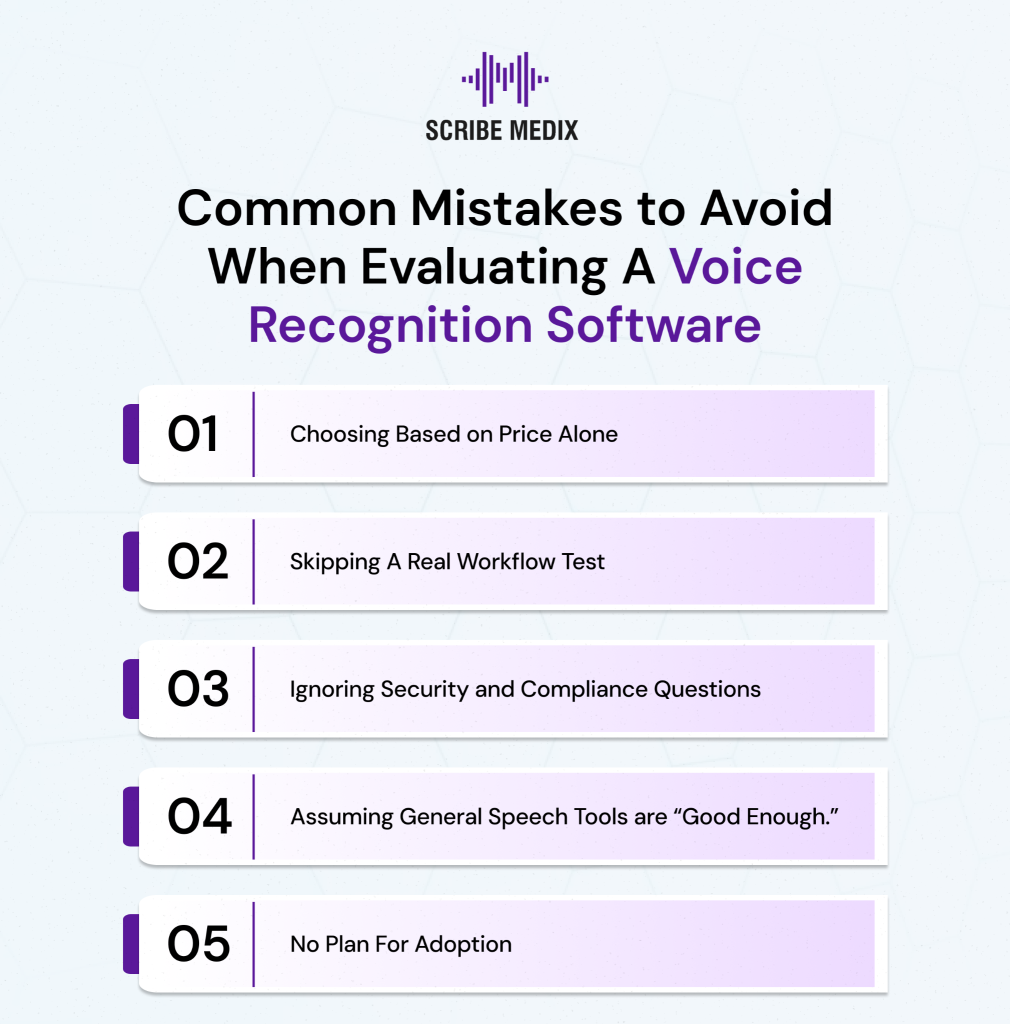
Although price is one of the factors, but workflow value matters more. A good voice recognition tool is evaluated on the following factors
- Time saved per day
- Reduction in after-hours charting
- Fewer transcription costs
- Better note quality and consistency
Choosing the right voice recognition software isn’t just about convenience, but it directly impacts accuracy, efficiency, and clinician satisfaction.
How Notiro Is Your All-in-One Solution
There are countless tools offering individual powerful features, but why settle for fragments when you can have one solution that brings accuracy, efficiency, and ease together in a single platform?
A complete solution should not just transcribe words. It should reduce documentation burden by combining the essentials that drive adoption. Notiro offers
- Medical-grade recognition that handles clinical terminology
- Structured note output that matches real documentation formats
- Workflow features that reduce clicks and repetitive actions
- EHR-friendly delivery so notes land where they belong
- Review controls that help clinicians sign faster with confidence
- Security and compliance readiness are aligned with HIPAA requirements
If you are evaluating medical voice recognition software and want a tool that supports accuracy, structured notes, workflow fit, and compliance readiness, try Notiro.
Book a demo or request a trial to test it with real patient visit types and see what your documentation day looks like when the tool actually helps.